Staying Safe on Public Wi-Fi: Why You Should Always Use a Temporary Email
Introduction
Public Wi-Fi networks in airports, coffee shops, hotels, and shopping malls offer great convenience when you are on the go. However, almost every public hotspot requires you to complete a registration form or enter an email address before granting internet access.
While this seems harmless, submitting your primary email address on public portals opens the door to data collection, targeted marketing, and potential security threats.
To keep your personal information secure while enjoying free internet, using a temporary email (disposable email) is the ultimate best practice. Here is how a throwaway address protects your identity when connecting to public networks.
The Hidden Risks of Public Wi-Fi Captive Portals
When you connect to a public Wi-Fi network, you are typically redirected to a landing page called a captive portal. These portals ask for details like your full name, age, and email address. Here is why handing over your real details can be risky:
- Mass Marketing Subscription: Most captive portal terms of service state that by providing your email, you consent to receive marketing emails from the venue and its business partners.
- Location and Behavioral Tracking: Advertisers can link your email address to your physical location history whenever you connect to different Wi-Fi networks in a city.
- Data Breaches on Local Routers: Unsecured or poorly managed Wi-Fi portals can be targets for hackers, exposing collected user details to data harvesting.
How a Temporary Email Keeps You Safe on Public Networks
1. Instant Access Without Marketing Consequences
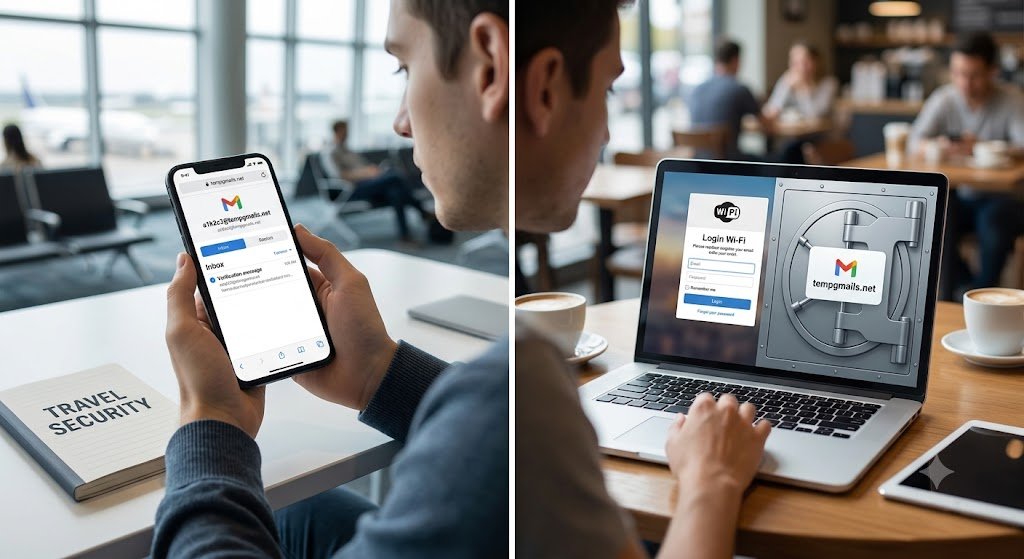
By using a temporary email generator like tempgmails.net, you can generate a valid, working email address in seconds. Enter this disposable address into the captive portal, fetch the verification link or code from your temporary inbox, and gain instant Wi-Fi access without clogging your real inbox with promotional spam.
2. Complete Anonymity from Location Trackers
Since temporary emails contain no personal identifier (like your real name or personal domain) and are destroyed shortly after use, third-party advertisers cannot build a behavioral profile around your travel habits or daily routines.
3. Protection Against Spam Bots and Data Harvesters
Public network databases are frequently targeted by automated web scrapers and spam bots. If a public Wi-Fi provider suffers a data leak, only your expired, temporary email address will be exposed—leaving your primary inbox completely untouched.
Step-by-Step: How to Use tempgmails.net on Public Wi-Fi
- Turn on Mobile Data briefly or open the Wi-Fi portal.
- Navigate to
tempgmails.netin your browser. - Copy the auto-generated temporary email address.
- Paste the temporary address into the Wi-Fi login screen.
- Switch back to
tempgmails.netto check your temporary inbox for the activation link or OTP. - Click confirm and enjoy safe, spam-free internet browsing!
Conclusion
Public Wi-Fi is undeniably convenient, but protecting your digital footprint should always be a priority. By adopting the habit of using a temporary email address for public network logins, you keep your primary email address safe, clean, and completely private.