Sick of Spam? The Essential Guide to How Temporary Emails Stop Marketing Junk and Data Scraping
how-temporary-emails-stop-spam
Focus Keyword: temporary email, disposable email, burn email, stop spam, email privacy Meta Description: Tired of a cluttered inbox? Discover how temporary emails can be your ultimate weapon against endless promotional junk, phishing, and keeping your personal data safe online.
Introduction
We’ve all been there. You sign up for a single e-book or just want a one-time discount code, and before you know it, your primary email inbox is a disaster zone. Suddenly, you’re receiving dozens of irrelevant promotional emails, news updates you never asked for, and possibly even suspicious phishing attempts. It’s a never-ending battle, and many of us feel powerless to stop it.
But what if you could have a “burner” email? A temporary address that you use once and then completely forget about? This is the core concept of temporary email, and it’s the most effective solution for reclaiming your inbox. This article will explain exactly how temporary email can save you from annoying spam and protect your online experience.
What Exactly is a Temporary Email?
A temporary email (also known as a disposable email, burner email, or throwaway email) is a short-term, instant email address generated by an automated service. Unlike traditional services like Gmail or Yahoo, you don’t need to register or remember a password.
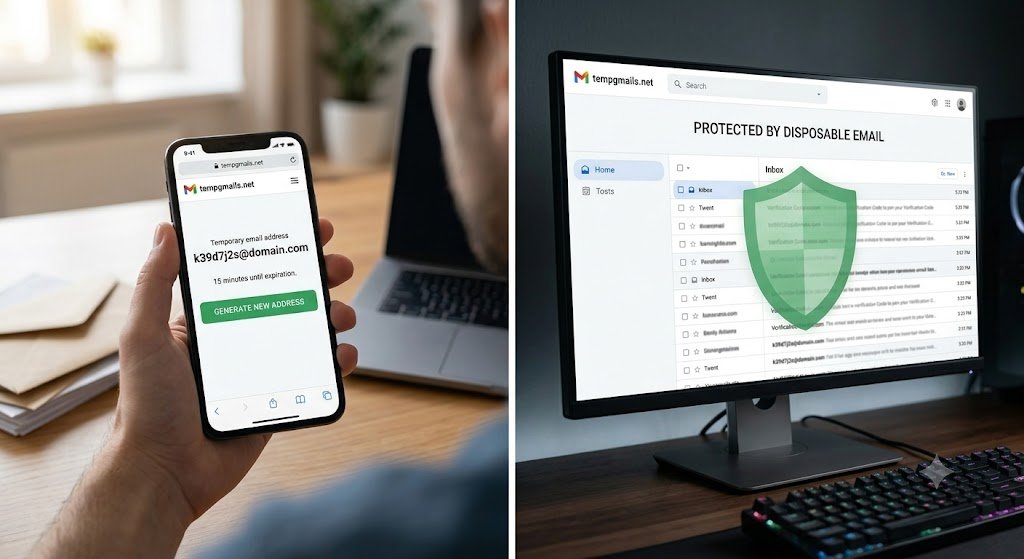
When you visit a temporary email provider like tempgmails.net, a new, unique address is instantly generated for you. It functions like a normal email address for a limited time—often just 10 minutes or a few hours—allowing you to receive verification codes or confirm accounts. After this period, the address and all the emails in its inbox are automatically and permanently deleted.
How Temporary Emails Stop Spam Before it Starts
1. Instant Signups Without Long-Term Commitment
The biggest source of spam is the mandatory email signup required by many websites. Often, you only need to access content once. Using a temporary email gives you immediate access to that confirmation link or discount code without tying your real email to a marketing list.
2. Prevent Your Email From Being Sold
When you provide your primary email to a less reputable website, it can be harvested and sold to third-party marketing companies. These companies then share or sell the lists further, leading to an exponential increase in spam. A temporary email address breaks this cycle, as it ceases to exist before it can be effectively sold or used.
3. Avoid Data Scraping from Online Fora and Comments
Some websites and tools scrape public fora or comment sections for exposed email addresses. If you need to make a one-off post or comment on a public site, using a temporary email protects your identity and primary contact information from these automated scripts.
4. Safe Online Shopping & Trials
Free trials are a common marketing tactic. You get a few days of service, but after that, you have to provide a payment method or remember to cancel. Temporary emails are perfect for testing these services. They allow you to register, receive confirmation, and if you decide not to proceed, the email expires, ensuring no subsequent billing attempts linked to that email.
Beyond Spam: Enhancing Your Online Security
While stopping spam is the most immediate benefit, temporary emails offer crucial security advantages:
- Reduce Phishing Risks: Phishing emails are designed to steal your passwords or personal data by mimicking trusted sources. Since temporary emails are only used for specific, safe signups, you eliminate the risk of clicking on malicious links in a fake email sent to that throwaway address.
- Shield Your Personal Data from Data Breaches: When a website you used a temporary email on suffers a data breach, your primary email and associated personal information remain secure and untainted.
- Maintain Anonymity: Temporary emails help keep your online actions anonymous, making it more difficult for advertisers or malicious actors to track your movements across the web.
Common Use Cases for Disposable Email Addresses
- Accessing Wi-Fi in Public Spaces: Hotels, airports, and coffee shops often require an email for authentication.
- Downloading Free Resources: For instance, the infamous “enter your email for this free infographic.”
- Registering for Beta Software/Games: Test new services without committing to future communication.
- Creating Temporary Profiles: For a quick interaction with a service before deciding if it’s worth your time.
When NOT to Use a Throwaway Email
While temporary emails are an incredible tool, they have their limitations. They are not suitable for:
- Any Important Account: Banks, social media logins you need for communication, or online shopping with order tracking.
- Professional Communications: Using a temporary email for work or a job application is unprofessional and risky.
- Account Recovery: You can’t recover a password if the email address no longer exists.
How to Get Started with Temporary Email
Using a temporary email service is incredibly simple. Services like tempgmails.net make it instant and effortless.
- Visit the Website: Simply go to
tempgmails.net. - Instant Generation: A fresh temporary email will automatically be generated for you on the homepage.
- Copy and Paste: Copy the address with one click and paste it wherever needed.
- Read Emails Instantly: Any incoming email for that address will appear instantly on the same page.
- No Clutter, No Spam: Close the tab and go on with your day. The address will eventually be deleted.
Conclusion
A temporary email is not just about stopping junk mail; it’s about control and security. It empowers you to navigate the web on your terms, accessing content and services without having to worry about your information being sold or your inbox being overwhelmed. Don’t let your primary email become a dumping ground. Start using a temporary email service today to experience a cleaner, safer digital life.